


In today’s fast-paced business environment, time is money — especially when it comes to processing documents. Whether you’re dealing with vendor invoices, contracts, utility bills, or ID forms, the end goal remains the same: capture accurate data as quickly and efficiently as possible. But one persistent obstacle has continued to slow teams down — the tedious need to manually split and sort multi-document files before processing.
At DocAcquire, we’re excited to unveil a game-changing upgrade to our platform: Auto-Splitting & Classification — a powerful, AI-driven enhancement designed to eliminate the manual burden of document separation and categorization.
With auto document splitting, DocAcquire intelligently scans bulk or multi-page files, automatically detects document boundaries, and separates them into individual files — all in real time. Combined with automated document classification, the system can then instantly identify each document type and route it accordingly within your workflow.
No more pre-sorting mixed batches.
No more concerns about uploading the “right” document type.
No more bottlenecks in your processing pipeline.
This enhancement is built on the core principles of Intelligent Document Processing (IDP) and document automation, allowing your teams to focus on high-value tasks while the system takes care of the repetitive grunt work.
Let’s take a closer look at how Auto-Splitting & Classification transforms document processing.
Many document capture workflows still require users to manually separate scanned PDFs or multi-document files before they can be processed. For example, a single scan from a multifunction printer might contain invoices, contracts, and purchase orders — but most systems demand these be split and categorized before ingestion.
This leads to several issues:
❌ Time-consuming pre-processing
❌ Higher risk of human error
❌ Inconsistent categorization
❌ Inefficient bulk processing
What if a document contains five different types of records? What if two forms are merged into one PDF? What if you miss a page while splitting?
These small oversights can snowball into significant delays, compliance issues, and data inconsistencies — all of which hinder productivity and scalability.
That’s where DocAcquire’s Auto-Splitting & Classification comes in — designed specifically to eliminate these friction points and streamline document automation from the moment of upload.
Auto-Splitting & Classification is an advanced document automation capability within DocAcquire that automatically:
It works seamlessly whether you’re uploading one long file or hundreds of mixed documents. DocAcquire’s intelligent engine breaks each submission down into its component documents, recognizes their type, and processes them — without any manual input.
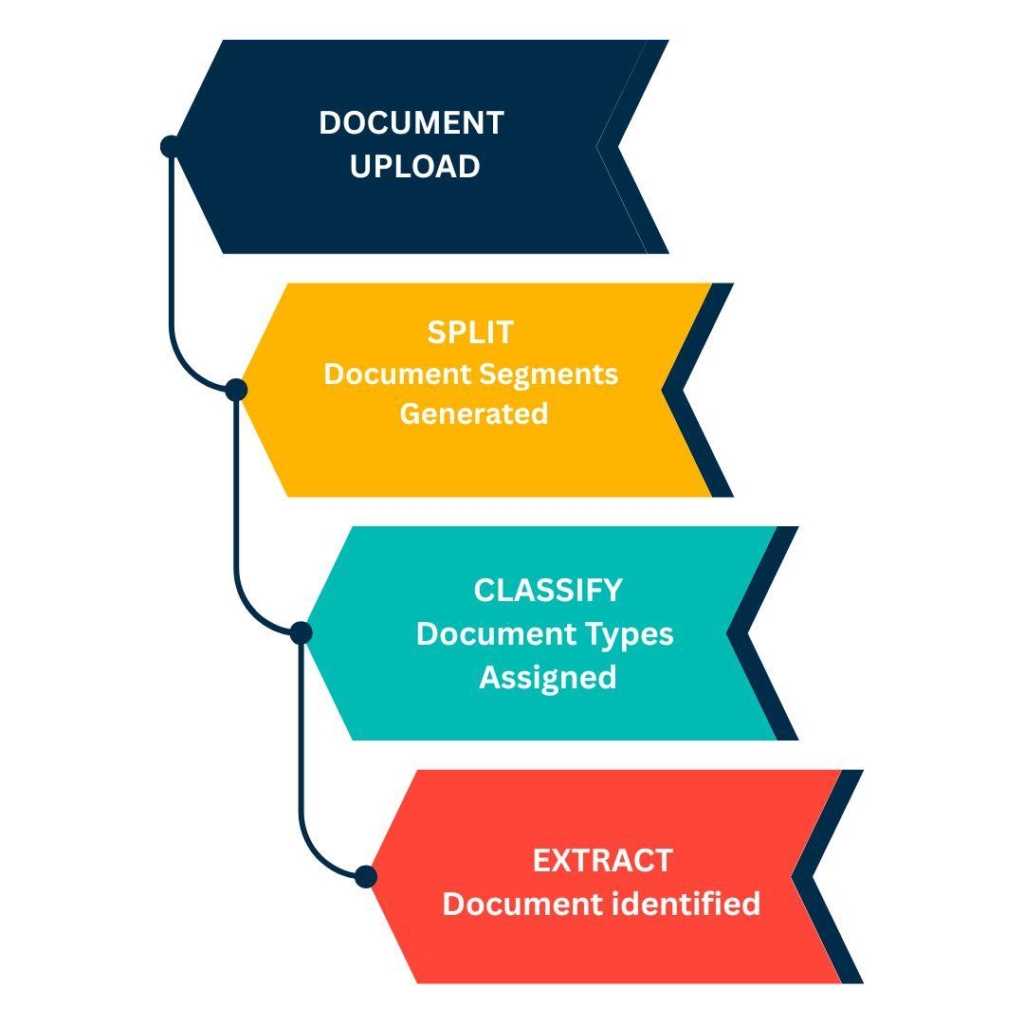
DocAcquire’s Auto-Splitting & Classification combines state-of-the-art Machine Learning (ML) and Natural Language Processing (NLP) to interpret documents the way a human would — but faster and more accurately.
Let’s break down how this intelligent document processing feature works:
1. Auto Splitting: Detecting Document Boundaries
The first step is auto document splitting — where the system examines each page in a file for indicators that signal the beginning of a new document. This analysis includes:
DocAcquire’s model uses these cues to segment the file at the appropriate boundaries, automatically creating individual documents in real time — no manual intervention required.
2. Auto Classification: Understanding Document Types
Once documents are split, each one undergoes automated classification. Using a combination of:
DocAcquire accurately assigns each document to its correct category (invoice, delivery note, receipt, legal agreement, etc.).
Together, this two–step intelligent document processing pipeline transforms how organizations manage high volumes of unstructured documents. Whether users upload a single bulk scan or an entire folder of mixed files, DocAcquire’s document automation engine kicks in instantly — performing auto document splitting and classification on the fly, ensuring every document is routed correctly for data extraction and workflow processing.
DocAcquire’s Auto-Splitting & Classification isn’t just another upgrade — it’s a transformational leap forward in document automation. Here’s what makes this feature stand out in the world of intelligent document processing:
✅ Zero Manual Pre-Sorting
Traditional workflows often require users to manually inspect multi-page files, identify document boundaries, and label each type before uploading — a process that’s time-consuming, error-prone, and inefficient.
With auto document splitting and automated document classification, DocAcquire eliminates this step entirely. Whether you’re working with invoices, contracts, or ID proofs — mixed in a single file — DocAcquire intelligently detects boundaries and classifies each document correctly, without human input.
Your team can finally focus on higher-value tasks instead of wasting hours prepping files.
✅ Seamless Bulk Uploads
Handling large files with hundreds of mixed pages is no longer a bottleneck.
When a user uploads a 1000-page PDF filled with purchase orders, receipts, delivery notes, and agreements, DocAcquire automatically splits and classifies each page, directing each document into its appropriate workflow.
This means:
Bulk document handling has never been this smooth.
✅ End-to-End Automation
True document automation is more than just data extraction — it starts the moment a document enters the system. With Auto-Splitting & Classification, DocAcquire initiates a fully automated pipeline from the point of document ingestion to final data output or integration.
After a bulk upload, each document is split, classified, extracted, validated, and routed to the appropriate system (ERP, CRM, document repository, etc.) without a single human touchpoint. This not only speeds up operations but also ensures process consistency, auditability, and seamless integration into enterprise workflows.
✅ Enhanced Accuracy
Manual document separation is error-prone, especially under time pressure. A misidentified document type or an incorrect page split can lead to data loss, downstream misrouting, or compliance issues. DocAcquire’s AI models reduce that risk significantly.
By leveraging advanced OCR, NLP, and layout analysis, the system accurately determines where each document starts and what type it is — even when documents have varied formats or inconsistent structures. This leads to far greater accuracy in classification and extraction, reducing rework, and ensuring trustworthy data flows.
✅ Enterprise-Scale Processing
For organizations dealing with high volumes of incoming documents — from finance and logistics teams to healthcare providers and legal departments — scalability is crucial. DocAcquire’s Auto-Splitting & Classification is built to handle enterprise-level throughput without sacrificing speed or accuracy.
Whether it’s processing hundreds of files an hour or millions of pages a month, the system adapts and scales with your business. You can confidently automate document handling at any volume, while maintaining reliability, speed, and performance.
Here’s how teams across industries can benefit:
Finance and Accounting
Upload a batch scan of payment-related documents (invoices, receipts, POs), and DocAcquire will:
No more manual page breaks or sorting errors during audits or end-of-month processing.
Legal Teams
Upload a long PDF containing different legal agreements — NDAs, SLAs, employment contracts, etc. DocAcquire will segment each document and classify them based on clause structures, parties involved, and section headers.
Legal workflows become faster and more organized.
HR Departments
When onboarding multiple employees, forms often arrive in a single PDF. DocAcquire splits these by employee and classifies them as resumes, contracts, tax forms, or ID proofs — making onboarding seamless.
Healthcare Administration
Medical offices and hospitals can scan patient files that include intake forms, prescriptions, lab reports, and insurance claims in one go. DocAcquire will:
Insurance Providers
Whether it’s a single PDF with multiple claim documents or supporting material like photos and estimates, DocAcquire splits and tags each file correctly for efficient processing and compliance tracking.
Auto-Splitting & Classification isn’t just a feature — it’s a shift in how organizations think about document processing.
With DocAcquire’s intelligent document processing pipeline, businesses can finally stop wasting hours manually sorting files. Upload documents as-is, and let our AI handle the rest — from auto document splitting and classification to data extraction and system integration.
🎥 Want to see it in action?
Watch our demo to see how effortlessly DocAcquire’s AI detects, splits, and classifies documents with precision — no templates, no manual setup, just intelligent automation.
Ready to unlock the power of AI-based Auto-Splitting & Classification with DocAcquire?
Sign up for a 14-day free trial today and experience how effortless document handling can be — no templates, no manual setup, just smart automation.
Need help or have questions? Contact us today!
Back to blog
At DocAcquire, we’re committed to not only streamlining document processing with intelligent automation but also ensuring that our platform is easy to navigate, user-friendly, and efficient for...
Read article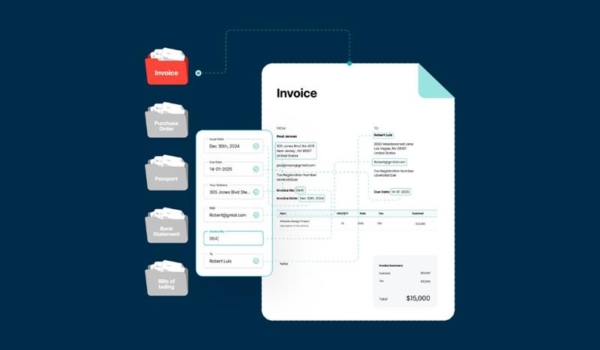
In today’s fast-paced business environment, time is money — especially when it comes to processing documents. Whether you’re dealing with vendor invoices, contracts, utility bills,...
Read article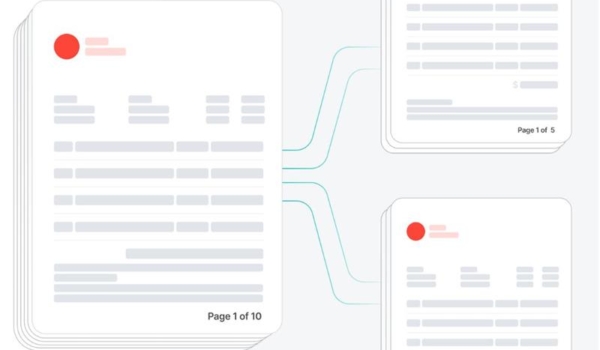
In the realm of Intelligent Document Processing (IDP), handling multi-document files has long posed a critical challenge. Business operations often involve scanning and uploading physical paper...
Read article
In today’s digital world, documents are everywhere — whether it's invoices from suppliers, contracts with clients, purchase orders, insurance claims, onboarding forms, or any other business...
Read article
In today’s fast-paced business environment, organizations are increasingly relying on automation to handle massive volumes of documents. However, manual data entry and document processing are...
Read article
What is PDF? PDF (Portable Document Format) is a file format that is used to present and exchange documents reliably, independent of software, hardware, or operating system. PDF was invented by...
Read article